How to Structure an MSP Service Desk Past 10 Technicians
Past 10 techs, a flat MSP help desk stops working. Here's how to set up tiers, escalation rules, team sizes and team leads that scale.
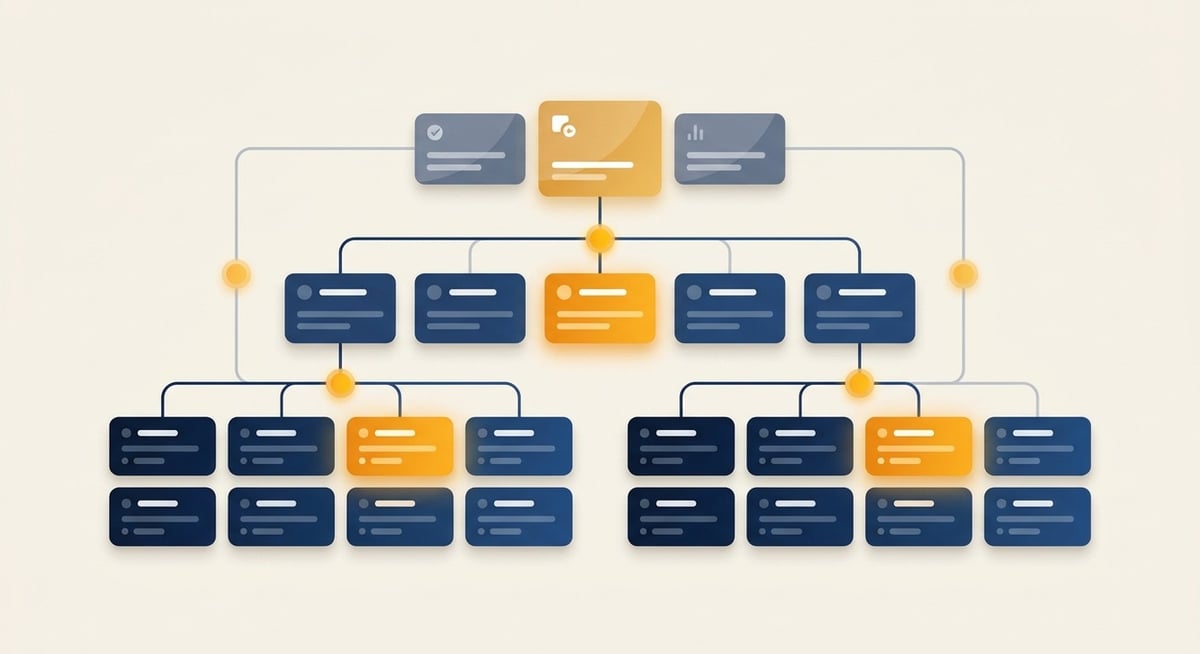
Past 10 technicians, split your service desk into three tiers with written expectations for each, and keep every team at six to eight people. Tier 1 triages and escalates any ticket they can’t solve in 30 minutes. Tier 2 owns escalations and coaches Tier 1. Tier 3 handles complex escalations and projects. Appoint a player-coach team lead before you hire another manager.
Why the flat model breaks around 10 techs
A small team runs fine with everyone answering phones and everyone fixing whatever comes in. The trouble is the number of relationships a manager has to track. With three people, it’s simple. At six, it’s already complicated. At ten, the connections between people, and the communication problems, conflicts and HR issues that come with them, grow faster than the headcount.
That’s why I recommend teams of six to eight. Past ten, you hit diminishing returns. If you’re managing 15 people and meeting with each of them once a month, there’s stuff going on in that team you don’t know about.
What each tier does
| Tier 1 | Tier 2 | Tier 3 | |
|---|---|---|---|
| Primary job | Answer phones, triage, solve documented issues | Own escalations, coach Tier 1 | Complex escalations, technical direction, projects |
| Typical work | Desktop and application requests, LAN and WAN work with an SOP, workstation builds | Servers, LAN and WAN, advanced business applications, phone overflow | Back-end services, clusters, cloud, networks, scoping, roadmaps |
| Tickets closed per day | 10 to 20 | 5 to 10 | Up to 5 |
| Utilization | 70% to 80% | 70% to 80% | Around 60% |
Each tier coaches the one below it. Tier 3 supports Tier 2 the same way Tier 2 supports Tier 1, and everyone builds documentation as part of the job.
Tier 3 runs at lower utilization because project work is choppy, and they’re the first pool you pull project resources from. When they aren’t on a project, they should be picking up Tier 3 tickets or dipping into the Tier 2 queue. Waiting on a vendor or a client is not a reason to have nothing to do.
Phones should ring through a hunt group. Tier 1 first, then Tier 2 in sequence, then everyone.
The 30-minute escalation rule
Tier 1 should spend no more than 30 minutes on a ticket before they check in with someone or kick it up the chain. The rule protects you from heroing, where a tech spends three hours on Google trying to prove they can solve it and makes the problem worse.
It also speeds up resolution at Tier 1, which drives a large share of user satisfaction. The tech drops the stuck ticket and picks up something they can close in five minutes.
If 30 minutes feels too short because everything would go to Tier 2, look at your SOPs. Each escalation is a coaching moment. The Tier 2 tech who takes the ticket goes back to the Tier 1 tech, shows them how it got fixed, and writes the document so it doesn’t need to be escalated next time. That loop pushes work back down to Tier 1 over time.
Make dispatch a shared Tier 1 duty
I don’t support a dedicated, non-technical dispatcher. It often becomes an administrative crutch for techs who aren’t accountable for their queue. Rotate dispatch through your Tier 1 team by day or by week instead. Techs respect direction from a peer who’ll be asking them for the same things next week. I wrote more about it in Dispatch Data for Amazing Service Delivery.
Appoint a team lead before you hire a manager
A team lead is a player-coach: 80% to 90% technical and 10% to 20% administrative. They watch the numbers during the day and check in when something’s off. “You’ve closed two tickets today and one this afternoon. Are you stuck on something?” That check-in is gold, and it frees up hours of your week.
You don’t need a raise or a new title to make this work. Lower their utilization target by about ten points to give them room. It’s also a low-risk way to find out if someone wants to lead people before you promote them.
Pick the right person with one test. If you left for two weeks, who would you put in charge? The answer is usually the most diligent person on the team: the one who enters their time, updates their documentation and holds themselves accountable.
Give shared platforms an owner
Backups, antivirus, security tools and anything else that touches every client need someone accountable for them. At a past MSP, one of our engineers spent a quarter of his day chasing four backup vendors who kept pointing at each other. We designated him as our central services lead and replaced the whole backup stack in one project. When a P1 reveals that backups failed three weeks ago, it’s a threat to the client relationship and possibly to the client’s business. This work earns a named owner as soon as it eats a real share of someone’s day.
Hiring Tier 3 is hard, so grow one
An MSP usually needs one Tier 3, and they’re hard to find. A strong Tier 2 in a growth role is easier to hire. Plan on two to three months of coaching, with you or the owner covering Tier 3 work while they stabilize.
If tickets start to back up at Tier 2, a strong Tier 1 who’s close to promotion can backfill some of that work. If the backlog stays there, you need more horsepower at Tier 2, and that’s a financial conversation worth having with the numbers in hand.
Where to go from here
The reference org chart and the tier expectations in this post are resources inside Opsleader Pro, my weekly coaching group for MSP operations leaders. If you’re building out the service manager role itself, start with the MSP Service Manager Boot Camp.
Related reading: The Two Pizza Rule and Do I Need to Hire More Staff?
Want more?
Opsleader Pro: weekly coaching for MSP ops leaders
If this resonated, you'd get more from a live Thursday coaching session with peers running the same fights. Apply to join Opsleader Pro.
Learn About Opsleader Pro
Todd Kane
Founder of Evolved Management. Helps MSP operations leaders build teams that run without them through group coaching, consulting, and operational frameworks.
More about Todd